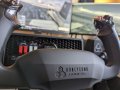
Honeycomb’s yoke and throttle let you take your flight sim experience to the next level

Honeycomb’s yoke and throttle let you take your flight sim experience to the next level

3 years ago
Anonymous $Gb26S9Emwz

https://techcrunch.com/2023/03/06/honeycomb-alpha-flight-control-xpc-yoke-and-bravo-throttle-take-flight-sim-review-pc-xbox/

When Microsoft, after a decade-long hiatus, relaunched its now 40-year-old Flight Simulator series in 2020, it reignited interest in a genre that had long been a mainstay of PC gaming. It’s one thing to marvel at the graphics of the new Flight Simulator, though, and another to try to play the game with mouse and keyboard — or the Xbox controller. Few games benefit from custom hardware as much as flight simulators and while you don’t have to go all out, at a minimum, you’ll want a basic HOTAS-style joystick. The next step up from there is a set of dedicated flight controls, throttles and rudders. The best-known names here are Logitech, with its affordable Flight Yoke System, CH’s Eclipse and Flight Sim yokes and throttles, Turtle Beach’s all-in-one VelocityOne, and Honeycomb’s Alpha Flight Controls XPC and Bravo throttle quadrant.

In the past, I only used an old joystick to play Flight Simulator, so when Honeycomb asked me to try their system (which, in the XPC version, now also supports the Xbox), I had a hard time turning it down. At over $550 for the yoke and throttle, we’re talking about a serious investment here — and once you get started, you’ll be tempted to get a set of rudder pedals, too. But in return, you get some very solid hardware that will let you take your flight sim experience to the next level.

Honeycomb’s yoke and throttle let you take your flight sim experience to the next level

Mar 6, 2023, 7:42pm UTC
https://techcrunch.com/2023/03/06/honeycomb-alpha-flight-control-xpc-yoke-and-bravo-throttle-take-flight-sim-review-pc-xbox/ > When Microsoft, after a decade-long hiatus, relaunched its now 40-year-old Flight Simulator series in 2020, it reignited interest in a genre that had long been a mainstay of PC gaming. It’s one thing to marvel at the graphics of the new Flight Simulator, though, and another to try to play the game with mouse and keyboard — or the Xbox controller. Few games benefit from custom hardware as much as flight simulators and while you don’t have to go all out, at a minimum, you’ll want a basic HOTAS-style joystick. The next step up from there is a set of dedicated flight controls, throttles and rudders. The best-known names here are Logitech, with its affordable Flight Yoke System, CH’s Eclipse and Flight Sim yokes and throttles, Turtle Beach’s all-in-one VelocityOne, and Honeycomb’s Alpha Flight Controls XPC and Bravo throttle quadrant. > In the past, I only used an old joystick to play Flight Simulator, so when Honeycomb asked me to try their system (which, in the XPC version, now also supports the Xbox), I had a hard time turning it down. At over $550 for the yoke and throttle, we’re talking about a serious investment here — and once you get started, you’ll be tempted to get a set of rudder pedals, too. But in return, you get some very solid hardware that will let you take your flight sim experience to the next level.